

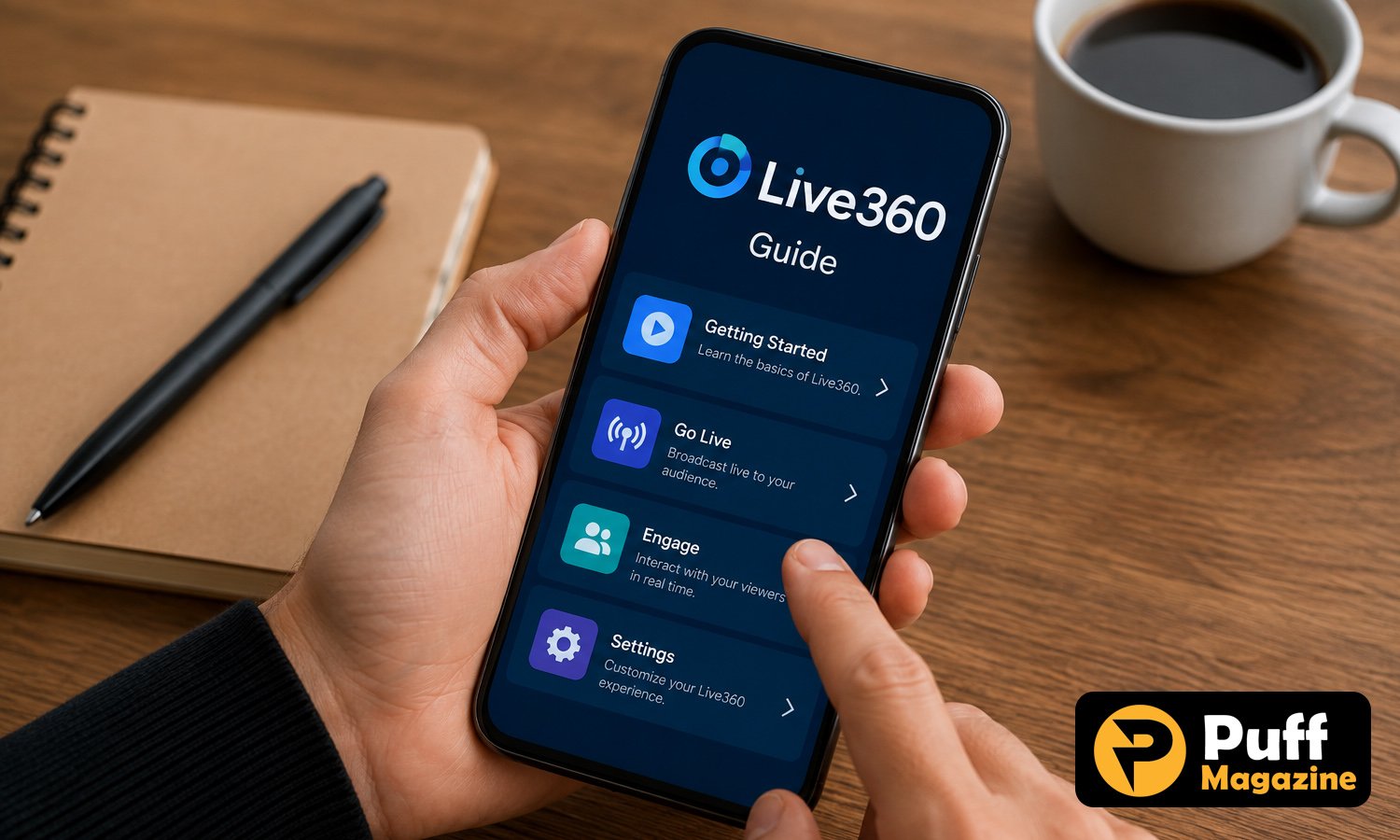
Live360 is a search term that overwhelmingly points back to one specific, genuinely established app, Life360, rather than describing a separate product in its own right. The confusion is understandable given how similar the two names look at a glance, and given that Life360’s entire purpose is showing a family member’s location live on a map. This guide clarifies that naming mix up, walks through what Life360 actually offers, and explains how to get real value from live family location tracking regardless of which exact name led you here.
Is Live360 a Real, Separate App?
No verifiable, independently reviewed app called Live360 exists as a distinct product from Life360 on the major app stores. Searches for the term consistently surface Life360 itself, along with articles, reviews, and customer service pages referencing Life360 by its correct name.
This kind of mix up is common with well known consumer apps, particularly ones with a name built around a simple, memorable word combination like Life and 360, since a small transposition or misremembering of the exact wording easily produces a plausible sounding but incorrect variant during a search.
It is also worth noting that a handful of unrelated, unverified apps or listings occasionally surface under similar sounding names in smaller app marketplaces or sideload sources, and these should be treated with considerably more caution than the verified, official Life360 app available through the Apple App Store and Google Play Store specifically.
Given the strength and consistency of the evidence pointing to Life360 as the actual product behind this search term, the remainder of this guide focuses on explaining what the genuine, established Life360 app actually does, how it works, and what to check before using any family location tracking app.
What Life360 Actually Is
Life360 is a genuinely established family safety and location sharing app, used by millions of families to keep track of each other’s real time location, receive driving safety reports, and set up alerts for arrivals and departures from specific saved places.
The app organises users into private Circles, small groups typically representing a family unit, where members can see each other’s live location on a shared map, provided every member has agreed to share their location within that specific Circle.
Life360 has built a substantial user base over more than a decade of operation, with the company behind it publicly listed and subject to standard corporate transparency and reporting requirements, a meaningfully different situation from an unverified, newly appeared app with no established track record or public accountability.
Beyond basic location sharing, the app has expanded into a broader family safety platform, incorporating features such as driving behaviour reports, crash detection, and, in higher paid tiers, additional safety services aimed at giving families more comprehensive peace of mind beyond simply seeing a dot move on a map.
Core Features of Life360
Understanding the specific features Life360 offers helps clarify what kind of value a family can expect from the app, and which tier might suit a specific household’s needs.
Live location sharing forms the foundation of the app, showing each Circle member’s current location on a shared map in close to real time, along with location history for a limited period depending on the specific subscription tier in use.
Place alerts let a user designate specific locations, such as home, school, or a workplace, and receive an automatic notification when a Circle member arrives at or leaves that location, a feature particularly popular among parents tracking a child’s school arrival and departure without needing to actively check the app.
Driving reports analyse a family member’s driving behaviour when the app detects they are in a moving vehicle, covering metrics such as speeding, hard braking, and phone use while driving, giving families visibility into driving habits that might otherwise go unnoticed.
Crash detection, available on higher tiers, uses a phone’s sensors to detect a likely vehicle collision and can automatically alert emergency services or an emergency contact if the app user does not respond within a set window, a feature aimed specifically at reducing emergency response time following a serious accident.
Life360 Pricing and Subscription Tiers
Life360 follows a freemium model, with a free tier offering basic location sharing and a range of paid subscription tiers unlocking progressively more advanced safety features.
The free tier covers the core function most users are looking for initially, live location sharing and place alerts within a Circle, making it a reasonable starting point for a family wanting to try the app before committing to a paid subscription.
Paid tiers add features such as extended location history, driving reports, crash detection, and in some tiers additional services like roadside assistance or identity theft protection, with pricing generally structured per Circle rather than per individual member, meaning the cost covers the whole family group rather than scaling directly with the number of people added.
Reviewing the specific current tier structure and pricing directly on Life360’s own site before subscribing is worth doing, since subscription tiers and included features for apps in this category do shift over time as companies adjust their offerings.
As with any subscription service, checking the specific renewal terms and cancellation process through your device’s app store subscription settings before committing to a paid tier helps avoid an unwanted automatic renewal down the line.
How Family Location Sharing Apps Work Generally
Understanding the general mechanics behind apps like Life360 helps set realistic expectations regardless of which specific app a family ultimately chooses to use.
These apps rely on a phone’s built in location services, typically a combination of GPS, WiFi network positioning, and cellular tower triangulation, to determine a device’s location, which is then transmitted to the app’s servers and shared with other members of a private group who have been granted permission to view it.
Battery usage is a common practical consideration, since continuous or frequent location tracking draws meaningfully more power than a phone operating with location services turned off or used only occasionally, though most established apps in this category have optimised their location polling to balance accuracy against battery drain reasonably well.
Location accuracy varies depending on the specific positioning method available in a given environment, with GPS generally most accurate outdoors, while indoor or dense urban environments sometimes rely more heavily on WiFi and cellular positioning, which can be somewhat less precise.
Every member’s participation depends on the app being installed and actively running with location permissions granted, meaning a family location app only works reliably if every intended member has the app installed, is logged into the correct group, and has not disabled location permissions at the device level.
Privacy Considerations for Family Tracking Apps
Given that these apps involve continuously sharing precise location data, understanding the relevant privacy considerations matters for any family considering this kind of tool.
Review the app’s specific privacy policy before signing up, paying attention to what location and other personal data the company collects, how long it is retained, and whether any of it is shared with or sold to third parties for purposes such as advertising, since practices vary meaningfully between apps in this category.
Have an honest, age appropriate conversation with any family member being asked to share their location, particularly teenagers, since location tracking introduces genuine questions about trust and autonomy that are generally handled better through open conversation than through covert monitoring.
Check what happens to a Circle member’s data if they leave the group or delete the app, confirming whether historical location data is deleted or retained, and for how long, since data retention policies differ across apps and subscription tiers.
Consider who else within a Circle can see a specific member’s location and history, since some apps allow granular permission settings while others share full visibility with every Circle member by default, a distinction worth understanding before adding a wider group of family members to a single Circle.
Choosing the Right Family Location App
A few practical checks help when evaluating Life360 against alternative family location and safety apps available on the market.
Confirm you are downloading the verified, official app directly from the Apple App Store or Google Play Store, checking the listed developer name matches the company you intend to use, since sideloaded or unofficial versions of popular apps carry meaningfully higher security risk than an official app store listing.
Compare the specific feature set against your family’s actual needs, since a family primarily wanting simple location sharing may find a free tier or a simpler competing app sufficient, while a family specifically wanting driving safety reports or crash detection will need to weigh the cost of a paid tier against that added functionality.
Read recent, independent user reviews on the app store listing itself, since these reflect current app performance and reliability more accurately than older reviews, particularly for apps that have undergone significant feature or pricing changes over time.
Test the free tier thoroughly with your specific family members and devices before committing to a paid subscription, confirming location accuracy and notification reliability actually meet your expectations in the specific environments, home, school, work, where you plan to rely on the app most.
Common Issues With Location Sharing Apps
A handful of recurring technical issues affect most apps in this category, and understanding general troubleshooting steps helps resolve the majority of everyday problems.
Inaccurate or delayed location updates are the most commonly reported issue, frequently caused by a device’s battery optimisation settings restricting the app’s background activity, a setting worth checking and adjusting specifically for the location app on both Android and iOS devices.
Notifications not arriving for place alerts or driving reports often trace back to notification permissions being disabled at the device level, or the app being force closed rather than left running in the background, both of which are worth checking first before assuming a more significant technical fault.
Circle membership or invitation issues typically resolve by confirming the invited member is using the correct, current invitation link or code, since these can occasionally expire, and by checking that the invited member has fully completed the account setup process rather than only partially joining.
Subscription and billing questions are generally best resolved through your device’s app store subscription management settings, since billing for this category of app is typically handled at the platform level rather than directly by the individual app developer.
Life360 for Different Kinds of Households
Not every household uses Life360 in the same way, and understanding a few common use cases helps clarify whether the app, or a specific paid tier, genuinely suits your own situation.
Parents of newly driving teenagers are among the most common user group for the app’s driving report features specifically, since a new driver’s habits around speed and phone use are often exactly the kind of behaviour a parent has limited visibility into otherwise, making the driving report tier a particularly relevant upgrade for this specific household situation.
Adult children keeping an eye on ageing parents represent a different but increasingly common use case, where the priority tends to be place alerts confirming a parent has arrived safely somewhere routine, such as a regular medical appointment, rather than continuous, detailed location monitoring throughout the day.
Couples and roommates sometimes use the app for simpler, practical coordination purposes, such as knowing roughly when a partner or housemate is on their way home, a use case generally well served by the free tier’s core location sharing feature without needing any of the paid safety add ons.
Families with multiple children across a range of ages often find the Circle structure itself the most valuable part of the app, since it consolidates several people’s locations into a single shared view, reducing the need for separate check in messages or phone calls simply to confirm where everyone currently is.
Whatever the specific household situation, matching the subscription tier to genuine, ongoing need rather than defaulting to the most expensive available option tends to produce the best long term value, particularly since a family’s needs around location sharing often change as children grow older or circumstances shift.
Conclusion
Live360 as a distinct, separate app does not appear to exist, with the search term overwhelmingly pointing back to Life360, a genuinely established family location sharing and safety app used by millions of households. Understanding this naming mix up matters considerably before downloading anything, since an unverified app found under a similar sounding name in a smaller marketplace carries meaningfully more risk than the verified, official Life360 app.
For families genuinely interested in live location sharing, driving safety reports, or crash detection, downloading the official Life360 app directly from a recognised app store, reviewing its current pricing tiers, and having an honest conversation with every family member about location sharing remains the most sensible way forward. Whichever specific search term brought you here, confirming you are looking at the genuine, officially listed app before committing to a subscription remains the single most useful safeguard against wasted money or an unnecessary security risk. A short pause to check the developer name and current app store rating before installing anything, even a widely trusted app like Life360, is a habit worth carrying into every future download regardless of how confident the search results initially appear.
Frequently Asked Questions
Is Live360 a real, separate app from Life360?
No verifiable evidence supports Live360 as a distinct app. The term overwhelmingly points back to Life360, a genuinely established family location sharing and safety app.
Is Life360 free to use?
Life360 offers a free tier covering basic location sharing and place alerts, along with paid subscription tiers that add features such as driving reports, extended location history, and crash detection.
Does Life360 drain my phone’s battery?
Continuous location tracking does use more battery than location services turned off, though established apps in this category generally optimise location polling to balance accuracy against battery drain reasonably well.
Can Circle members see my location history, not just my current location?
Location history availability depends on the specific subscription tier, with paid tiers generally offering extended history compared with the free tier’s more limited view.
How do I make sure I download the genuine Life360 app?
Download directly from the Apple App Store or Google Play Store and confirm the listed developer matches Life360, since sideloaded or unofficial versions found elsewhere carry meaningfully higher security risk.
Explore the latest and discover what’s ahead at Puff Magazine