

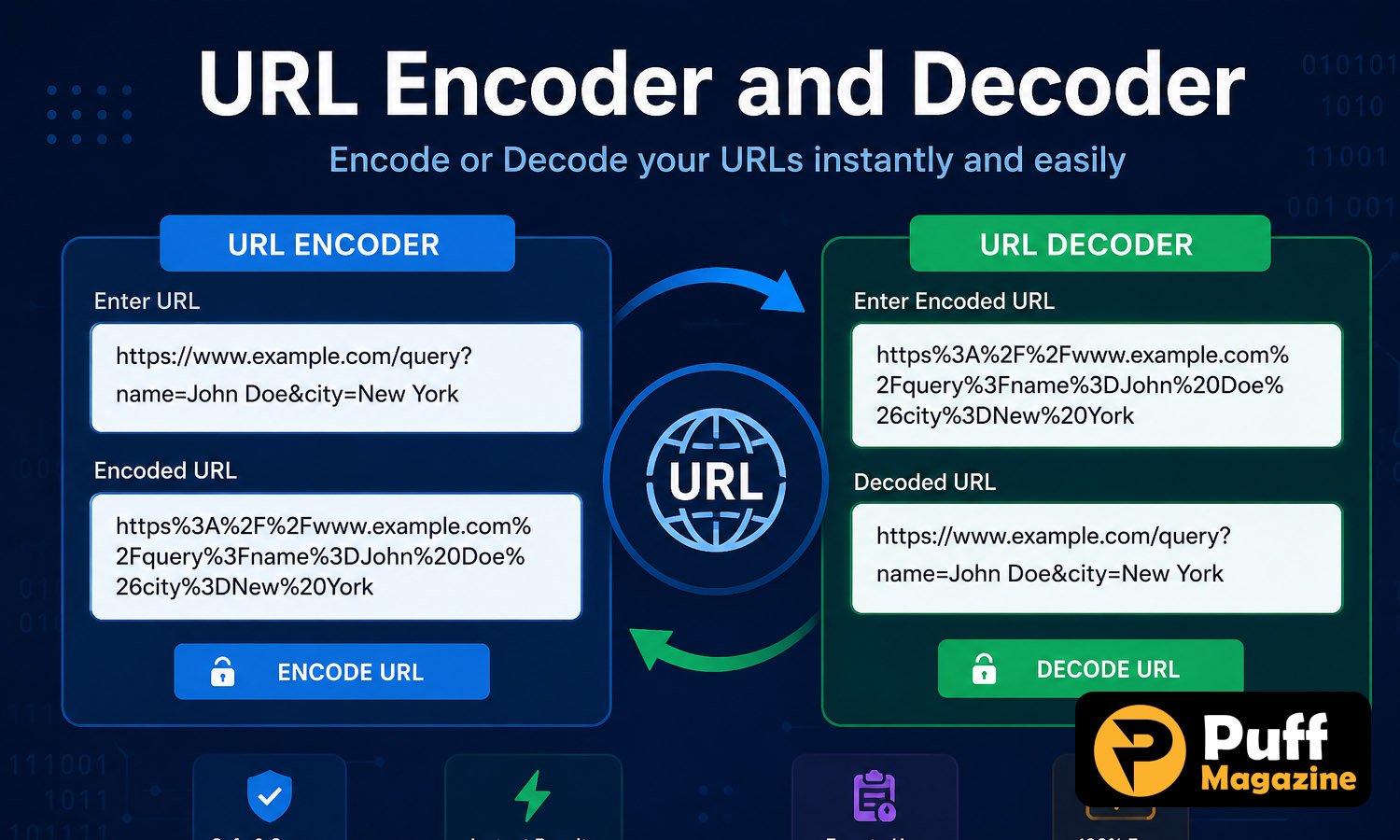
URL encoder and decoder spellmistake is a phrase that shows up often among developers, bloggers, and SEO professionals searching for help with a genuinely common problem: small typing or formatting errors made while manually encoding or decoding a URL. These mistakes might look minor, sometimes a single wrong character in a percent-encoded sequence, but they can break links, disrupt API calls, and cause search engines to misread a web address entirely. Understanding how URL encoding actually works, and where these small mistakes tend to creep in, makes it much easier to avoid the broken links and formatting errors that come from getting it wrong the first time around.
What URL Encoding and Decoding Actually Means
URL encoding, also known as percent-encoding, is the process of converting characters that are not safe to use directly in a web address into a format that browsers and servers can reliably read and transmit without misinterpreting the data. This matters because a URL can only safely contain a limited set of characters, and anything outside that set, such as a space, an ampersand, or a non-English character, needs to be converted first before it can travel safely across the web.


The encoding process replaces an unsafe character with a percent sign followed by a two-digit hexadecimal code representing that character. A space, for example, becomes %20, while other reserved characters like an ampersand or a question mark are converted into their own specific codes. This system is defined by long-standing web standards and works consistently across virtually all modern browsers and servers.
Decoding simply reverses this process, taking a percent-encoded URL and converting it back into its original, human-readable form for easier inspection. This is especially useful when debugging links, inspecting API requests, or reading a URL that has passed through multiple systems and picked up several layers of encoding along the way without anyone tracking exactly where each layer was added.
Both processes matter well beyond simple link-sharing between friends or coworkers. Search engines rely on correctly encoded URLs to index pages accurately, APIs depend on properly formatted parameters to function correctly, and web applications use encoding constantly behind the scenes to safely pass data between pages without the user ever noticing it happening.
Common Spelling Mistakes in Percent-Encoding
The most frequent mistake happens when someone manually types a percent-encoded value and gets one of the characters wrong. A particularly common example involves confusing the letter O with the digit zero, typing %2O instead of the correct %20 for a space, which looks nearly identical at a glance on most screens but is read completely differently by a browser or server processing the request.
Another common mistake involves encoding a character that does not actually need to be encoded, or leaving a genuinely unsafe character unencoded by accident. Both errors can cause a URL to behave unpredictably, sometimes working in one browser while failing in another, depending on how strictly that particular system interprets the malformed address it receives.
Double encoding is a related and surprisingly common mistake, where a URL that has already been encoded gets encoded a second time, often because it passed through two different systems that both applied their own encoding step without checking whether one had already happened. This turns a correctly encoded percent sign into an incorrect, doubly escaped sequence that no longer decodes back to the original, intended value.
Copying URLs from documents or chat applications is another frequent source of these errors, since some of these programs automatically convert certain characters, such as replacing a straight quotation mark with a stylized one, which then breaks the URL’s encoding when it is pasted somewhere else entirely without anyone realizing what changed.
Why These Mistakes Break Links and APIs
A single incorrect character in a percent-encoded URL can be enough to send a browser or server down the wrong path entirely. Because encoding relies on very specific, exact character sequences, there is little room for a small typo to be interpreted correctly by accident, unlike ordinary written text where context often helps a reader guess the intended meaning despite a typo.
For website visitors, a broken encoded URL commonly shows up as a dead link, an error page, or a redirect that lands somewhere unintended entirely. This is especially disruptive for links shared in emails, social media posts, or marketing campaigns, where a single encoding mistake can send an entire audience to the wrong destination or a broken page before anyone notices the underlying cause.
For developers working with APIs, encoding mistakes tend to be even more consequential than a simple broken link. Many APIs pass data through URL parameters, and an incorrectly encoded value can cause a request to fail outright, return unexpected data, or in some cases create a security vulnerability if unsafe characters are not properly escaped before being processed by the server.
Search engines are also sensitive to encoding errors of this kind. A URL that is malformed due to an encoding mistake can be indexed incorrectly, treated as a duplicate of another page, or skipped entirely, which can quietly hurt a website’s search visibility without an obvious, easily traceable cause pointing back to the original problem.
Real-World Situations Where These Mistakes Show Up
Marketing campaigns are one of the most common places where encoding mistakes cause visible, immediate damage. A tracking link built with UTM parameters, for example, relies on correctly encoded ampersands and equal signs to separate each parameter properly. A single encoding mistake in one of these links can cause an entire email campaign or social media post to direct thousands of clicks to a broken page or an incorrectly tracked destination.
Search functionality on websites is another frequent source of encoding-related bugs. When a user searches for a term containing a special character, an apostrophe, an ampersand, or an accented letter, the search query itself needs to be properly encoded before it is passed to the server. A mistake here can cause the search feature to return no results, throw an error, or behave inconsistently depending on which characters happen to appear in a given search.
International websites face this issue more often than most, since URLs containing non-English characters, such as accented letters or characters from non-Latin alphabets, require correct encoding to display and function properly across different browsers and regions. A mistake in this kind of encoding can make an entire page unreachable for users typing in their native language.
API integrations are perhaps the highest-stakes example, since a single encoding mistake in a request parameter can cause an entire automated process to fail silently, returning incomplete or incorrect data without an obvious error message pointing back to the actual cause. This is why experienced developers tend to test URL encoding carefully during the early stages of building any integration that passes user-generated content through a URL.
How to Avoid Encoding Errors
The most reliable way to avoid encoding mistakes is to let a dedicated tool or a programming language’s built-in encoding function handle the conversion rather than typing percent-encoded values manually. Manual encoding is where the vast majority of spelling mistakes, like confusing O with zero, actually happen.
Most programming languages include built-in functions specifically designed for this exact purpose, and using them consistently removes the guesswork entirely from the process. Developers working directly in code should default to these built-in methods rather than hardcoding percent-encoded values by hand, even for what seems like a simple, one-off case.
Double-checking a URL after copying it from another application is a simple habit that catches a surprising number of encoding issues before they cause a real problem down the line. This is particularly important when a URL has passed through a chat application, a word processor, or a spreadsheet, since these programs often make small formatting changes without warning.
When debugging an unusual or broken URL, decoding it first to see its original, readable form often makes the specific mistake much easier to spot than trying to read the raw percent-encoded string directly, since a misplaced or incorrect character stands out far more clearly in plain text.
Choosing a Reliable URL Encoder and Decoder Tool
Because manual encoding is such a common source of mistakes, using an online encoder and decoder tool is generally the more practical option for anyone who is not working directly inside code every day. These tools instantly convert text to its properly encoded form and back again, removing the need to memorize specific character codes or double-check a reference table each time.
A good encoding tool should handle both encoding and decoding within the same interface, since developers and marketers alike frequently need to move back and forth between the two when debugging a problematic link. Tools that only support one direction require switching between separate pages or services, which adds unnecessary friction to a task that should be quick and simple.
Speed and accuracy matter more than extra features for this kind of tool. A reliable encoder and decoder should return results instantly and handle a full range of special characters correctly, including symbols and non-English characters, without silently mishandling edge cases that could reintroduce the very mistakes the tool is meant to prevent.
Because there are many free encoding and decoding tools available online, it is worth testing a specific tool with a known example, such as encoding a plain text URL with a space and confirming it correctly returns %20, before relying on it for anything more complex like debugging a live API request.
Conclusion
A url encoder and decoder spellmistake usually comes down to a small, easily overlooked error, whether that means confusing similar-looking characters, encoding a URL twice by accident, or pasting a link from an application that quietly altered its formatting without any visible warning. These mistakes may look minor, but they can break links, disrupt API requests, and hurt search visibility in ways that are not always obvious at first glance to the person who made them. Relying on built-in encoding functions in code, or a dependable online encoder and decoder tool for everything else, remains the most reliable way to avoid these errors altogether.
Frequently Asked Questions
What is a URL encoder and decoder spellmistake?
It refers to a small, often overlooked error made while manually encoding or decoding a URL, such as mistyping a percent-encoded character or leaving an unsafe character unencoded.
What is the most common URL encoding mistake?
Confusing the letter O with the digit zero when typing a percent-encoded space, mistakenly writing %2O instead of the correct %20, is one of the most frequent errors.
What is double encoding, and why does it cause problems?
Double encoding happens when an already encoded URL gets encoded a second time, turning a correct percent sign into an incorrect sequence that no longer decodes back to the original value.
How can I avoid URL encoding mistakes in my code?
Using a programming language’s built-in encoding functions, rather than typing percent-encoded values manually, removes most of the common spelling mistakes associated with manual encoding.
Why does a broken encoded URL hurt SEO?
Search engines can misread malformed URLs, sometimes indexing them incorrectly or treating them as duplicate pages, which can quietly reduce a page’s visibility in search results.
Explore the latest and discover what’s ahead at Puff Magazine